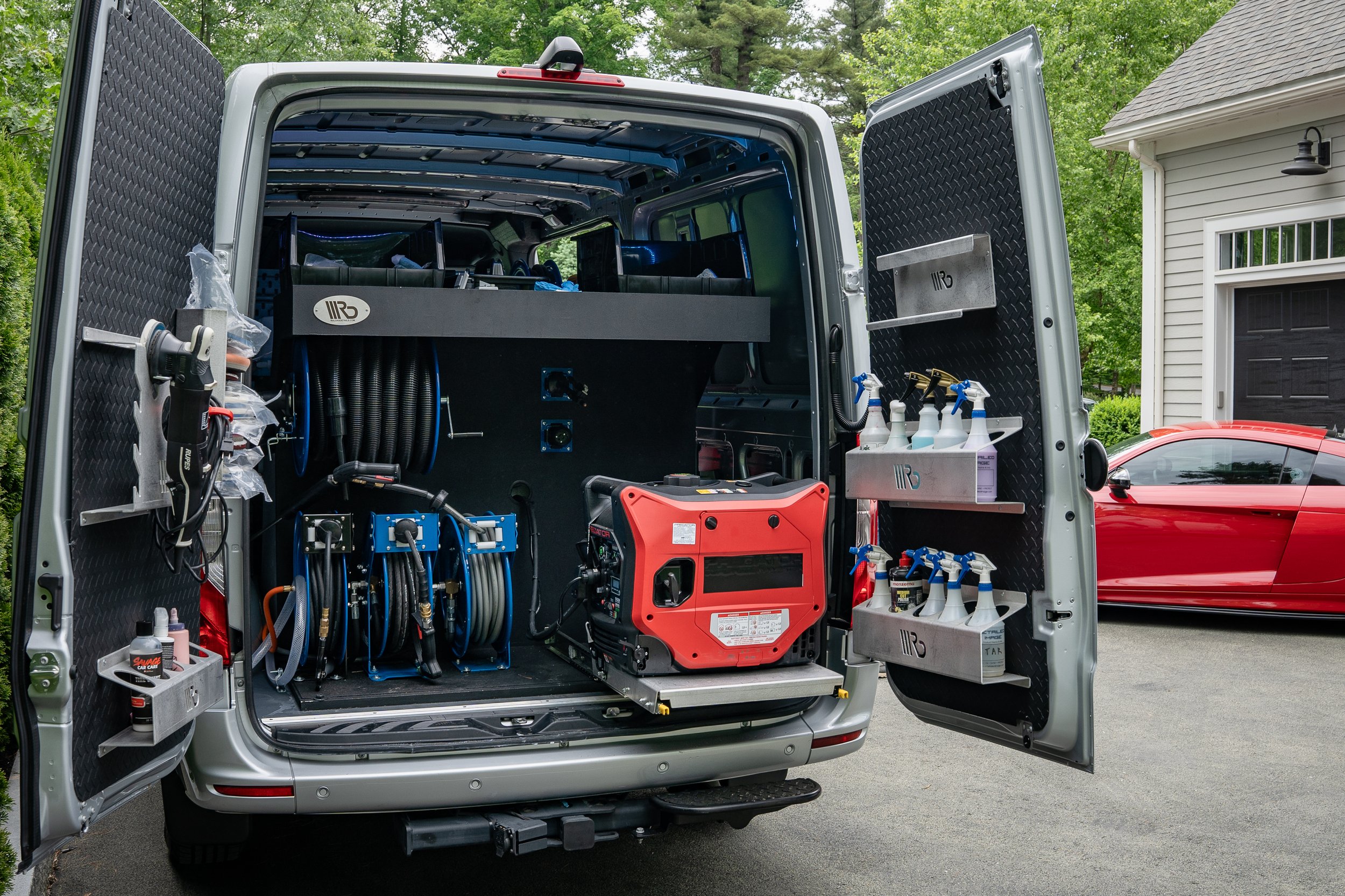
Most detailers set up their Google listing on a phone, between jobs, in about fifteen minutes. Then nothing happens. Or Google asks for proof they were not ready to give, or the listing gets suspended over something small. This is the setup in the right order, so you only do it once. It ends with three things most detailers skip.
A quick note on names: Google My Business, or GMB, was renamed Google Business Profile. It is the same free listing. This article is the setup walkthrough. For why the listing matters and how to keep it working after setup, read our Google Business Profile guide for mobile detailers.
Before you start: gather these
Ten minutes of prep saves you from stopping halfway and starting over.
- A Google account you control. Use your own business email, not a friend’s or a freelancer’s. Whoever creates the profile owns it.
- Your business name exactly as it appears on your van, invoices and social pages.
- A phone number you answer, plus your website or online booking link.
- The cities and zip codes you really drive to. Not the ones you wish you did.
- Ten or more real photos: before and afters, your van, your gear, you at work.
- Your business license or registration, if you have one. Google may ask to see it.
The setup, step by step
1. Check whether a listing already exists
Search Google for your business name and phone number while signed in to your account. If a listing already exists, claim it instead of making a new one. It may have been made by a past partner, or Google may have created it from public information. Two listings for the same business can confuse customers and Google. If nothing shows up, go to Google’s Business Profile page and start a new one. [1]
2. Enter your name and pick your categories
Use your real business name, the same as on your van. Do not add keywords or a city to the name. That breaks Google’s rules and can get the listing suspended. [2]
For your main category, pick the closest match, like “Car detailing service.” Then add other categories only if they truly describe work you do.
3. Tell Google you go to your customers
When Google asks whether customers visit a location, such as a shop or office, answer no. Then add your service areas. This keeps your home address off the listing. List the cities or zip codes you actually serve, and do not use a fake address or a mailbox to appear somewhere else. [2]
4. Add your contact details
Add a phone number you answer. For the website, use your online booking page if you have one. A customer who can pick a package and a time right away is worth more than one who has to wait for a callback. No website? Your booking page works as the link.
5. Verify your business
Google decides how you can verify, which may be a video, a phone call, a text or an email. Many service businesses are asked for a video. Read Tip 1 below before you open the camera.
6. Fill in the rest
- Hours: your real working hours. Update them for holidays and travel.
- Description: two or three plain sentences on what you do and who you serve. No phone numbers, links or hype.
- Services: add each one by name, like interior detail, full detail, ceramic coating, with a short description and a starting price.
- Photos: upload at least ten of your own. No stock photos.
7. Add a second owner or manager
Open your profile’s settings and add someone you trust as a manager, or add a second owner. If you lose access to the one Google account, you do not lose the listing.
Three things most detailers skip
Every setup guide covers the steps above. These are the parts people leave out.
Tip 1: Plan your verification video before you record it
This is where most service businesses get stuck. The video has to be one continuous recording made inside Google’s verification app, and it is usually about two minutes long. You cannot upload a clip from your camera roll. A reviewer at Google watches it, and if it does not prove you are a real business, it is rejected. [3]
So make a shot list first, and set the day up for it:
- Put your business name on the vehicle. A plain, unmarked van is not enough. Magnets work.
- Show your gear. Open the van and show the polisher, extractor, towels and chemicals.
- Show where you are based. If you work from home, Google may want to see your street, your house number and your mailbox. This is for the reviewer, not the public. Your address stays hidden.
- Have your paperwork ready. If you have a business license or registration, hold it up so the name and address are readable.
- Be the one on camera. It should be the owner or an authorized manager.
Why it matters: a failed video does not just cost you time. You have to record it again and wait for another review. Ten minutes of planning gets you through the first time.
Tip 2: Read your own search terms every month, then use the words your customers use
Your profile shows you the actual searches that led people to it. Open your profile, click Performance and look at Searches. The list updates at the start of each month and can take a few days to appear. [4]
Most detailers never look. They name their services the way they say them in the driveway, not the way customers type them. You might call it “paint enhancement,” while people are searching “scratch removal” or “car detailing near me.” When you see the words people really used, rename your services and rewrite your description to match.
- Use the customer’s wording in your service names and descriptions, in plain sentences.
- Do not stuff the business name or description with keywords. Google can suspend profiles for that.
- Check again each month. The searches change with the seasons, like ceramic coating in spring or interior cleaning after winter.
Why it matters: a listing that uses the same words as the people searching is easier for Google to match, and easier for a customer to understand.
Tip 3: Claim the other two maps
Google is not the only map. iPhone owners often search in Apple Maps or ask Siri, and Apple shows information from its Maps listing in places like Siri, Wallet and Messages. Apple lets businesses claim and edit their listing for free through Apple Business Connect. [5]
Bing, which also feeds other search products, has Bing Places for Business. It is free, and it can import your Google profile, so most of the work is already done. [6]
- Use the same name, phone number, website and service area on all three.
- If you work from home, check the address options before you submit, and do not publish your home address if you do not want it shown.
- Do it once, after your Google profile is finished. It takes about twenty minutes in total.
Why it matters: most of your competitors never do this. Then your business is easier to find for everyone with an iPhone, and the same details everywhere make you easier to trust.
Setup mistakes that cause problems
- Keywords or a city in the business name. It is against Google’s rules and one of the most common reasons for a suspension.
- A fake address or a mailbox. Do not use one to appear in another city.
- A huge service area. Listing every city in the county does not make you equally visible in all of them. List the places you actually serve.
- Details that do not match. Your name, phone number and website should be the same on your profile, website and social pages.
- Setting it up from someone else’s account. You can lose control of your own listing.
Your first week after setup
- Day 1: finish the details, verify, and add a second manager.
- Day 2: add every service, your description and ten or more photos.
- Day 3: text your review link to your last ten happy customers. Ask politely, and never offer anything in return.
- Day 5: claim Apple Business Connect and Bing Places.
- Day 7: reply to any reviews, and add two new photos.
Results build with steady work. Treat the first month as setup, and give it a few months before you judge it.
How MobileDetailing.app helps
Your profile sends people somewhere, and what happens next matters. The booking page that comes with your free account gives you a link to put on your profile, so a customer can pick a package and a time without waiting for your callback. Pro adds Google Ranking Monitor, which tracks where you show up over time.
If you would rather spend your time detailing, our team can run it for you.
Common questions
Is Google My Business the same as Google Business Profile?
Yes. Google My Business, or GMB, was renamed Google Business Profile. It is the same free listing that shows your business in Google Search and Google Maps.
Do I need a website to set up Google My Business?
No. You can set up the listing without a website and point the website button to your online booking page instead.
Can I hide my home address?
Yes. If customers do not visit you, set the profile up as a service-area business, hide the address and list the areas you serve. Do not use a fake address or a mailbox.
What if Google asks for more proof during video verification?
Record the video again with more proof: a vehicle with your business name on it, your equipment, and your business documents if you have them. Plan the shot list before you start recording.
How long does it take to set up?
Filling in the listing takes about fifteen minutes. How long verification takes depends on the method Google offers you.
Sources and further reading
Checked November 13, 2026. Features and rules can change, so check each company’s pages for the latest.
- Google: Business Profile
- Google: Guidelines for representing your business on Google
- Search Engine Journal: Google Business Profile video verification best practices
- Google: See how customers find your business (performance and searches)
- Apple: Introducing Apple Business Connect
- Microsoft: Bing Places for Business