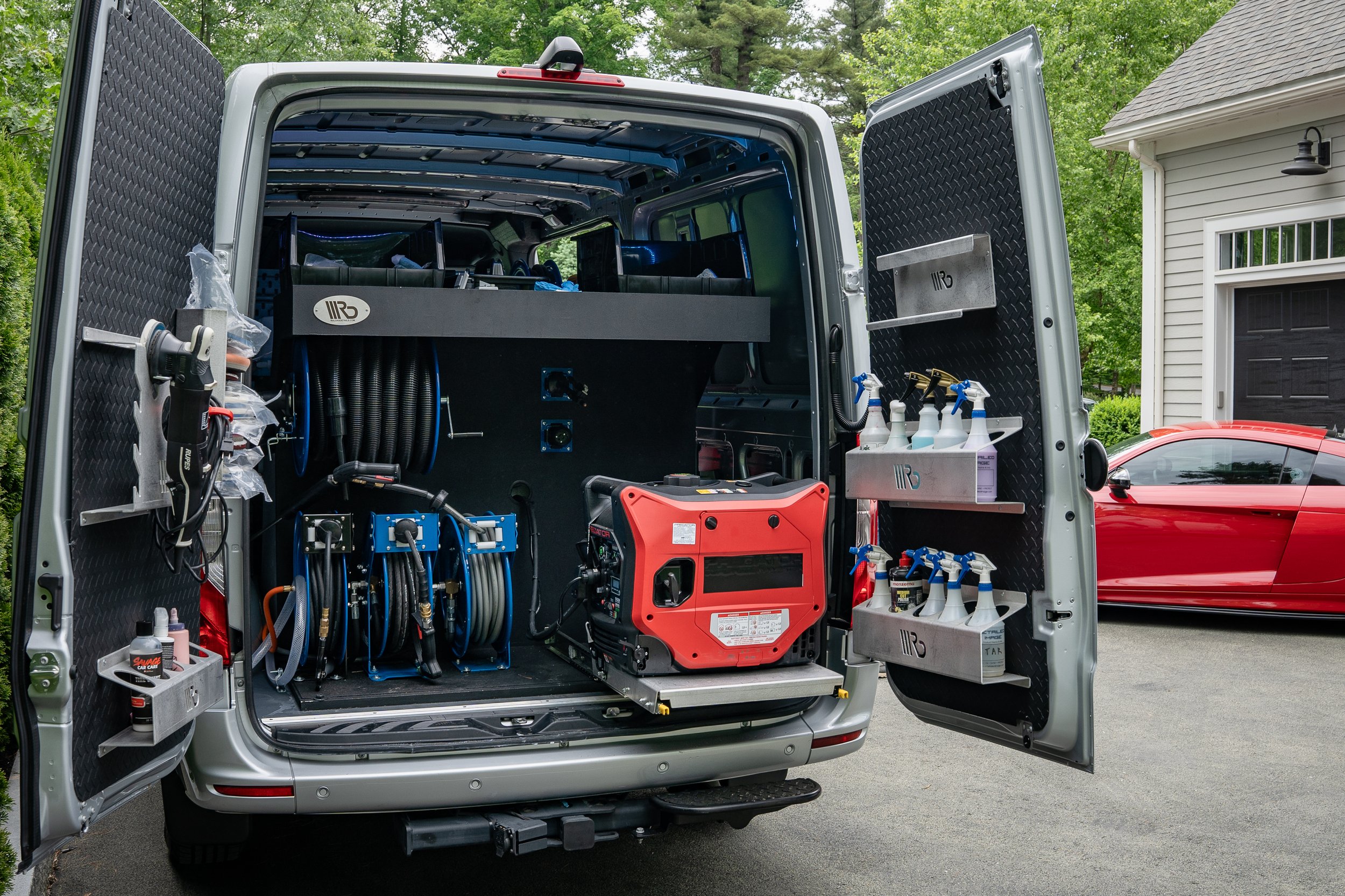
When someone searches “car detailing near me,” the first thing they see is often not a website. It is a map and a short list of businesses with photos, stars and a call button. If your business is on that list, you get the call. If it is not, your competitor does.
That list comes from your Google Business Profile. It is free, it takes an afternoon to set up properly, and for most mobile detailers it brings in more calls than a website does. This guide explains what it is, why it matters, and what to do with it, in plain English.
What is a Google Business Profile?
A Google Business Profile is your free business listing on Google. It is what shows your name, phone number, hours, services, photos, reviews and website when someone finds you in Google Search or Google Maps. You may have heard it called Google My Business, or GMB. That was the old name for the same thing. [4]
You manage it yourself, free, from Google Search or Maps while signed in to the Google account that owns it. You do not need a website to have one, and you do not pay Google to be listed.
Your Business Name · Car detailing service
4.9 ★ (62) · Serves El Paso and nearby · Open today until 6 PM · Call · Book online
Think of it as your storefront on the internet. A mobile detailer has no shop window, so this listing is the closest thing you have to one.
Why it matters for a mobile detailer
People who search on Google for a local service are usually ready to act. They are not browsing. They have a dirty car, a trade-in, or a pet-hair problem and want it solved this week.
- It puts you on the map. The local results and Google Maps are where “near me” searches land, and they appear above many regular website results.
- It builds trust before the first call. Photos of real jobs and reviews from real neighbors answer the question “can I trust this person?” before you say a word.
- It is free. There is no cost to list, and no way to pay for a better place in the local results. [1]
- It makes the next step easy. One tap calls you, texts you, or opens your booking page.
- It works for you around the clock. The listing keeps showing your hours, services and reviews while you are inside a car with the polisher running.
Why it often beats a website for local jobs. A website has to be found first. A Business Profile is already where local searchers are looking, with the call button right there.
How Google decides who shows up
Google says local results are based mainly on three things: relevance (how well your profile matches the search), distance (how far you are from the searcher, or from the area they named), and prominence (how well known your business is, helped by reviews, links and your general web presence). [1]
You can improve relevance and prominence. You cannot change distance, and you cannot pay to rank higher. That is why a complete profile, honest reviews and steady activity are the work that counts. Listing a huge service area does not make you equally visible in every city.
Set it up the right way
Search for your business on Google, or go to Google’s Business Profile page, and follow the steps to claim or create the listing. Google will ask you to verify that the business is yours, usually by video, phone, text or email depending on what it offers for your business. Verification is what lets you manage the profile.
Set it up as a service-area business
If you travel to customers and they do not visit your home or garage, you are a service-area business. Google lets you hide your address and instead list the areas you serve. Do this so your home address is not published. [2]
- Hide your address if customers do not come to you. Shop owners with a staffed location customers visit should show that address.
- List the areas you really drive to, as cities or zip codes. Google’s guidelines say a service area should stay within about two hours’ drive of where you are based, and it does not help to list places you will not serve.
- Do not use a fake address or a mailbox to appear in another city. Google can suspend profiles that do.
Get the basics exactly right
- Business name: use your real name as it appears on your van, invoices and signs. Do not add keywords like “Best Cheap Mobile Detailing El Paso” to the name. That breaks Google’s rules and can get you suspended. [2]
- Primary category: choose the closest match, for example “Car detailing service”, then add accurate secondary categories for what else you do.
- Phone and website: use a number you answer, and make the website link go to your booking page or your best service page.
- Hours: set your real working hours, and update them for holidays and travel.
- Description: write two or three plain sentences about what you do, who you serve, and what makes you different. No phone numbers or links in the text, and no hype.
Tips that move the needle
1. Add your services, one by one
List each service the way a customer would name it: interior detail, full detail, ceramic coating, pet hair removal, headlight restoration. Add a short description and a starting price where you can. It helps Google match you to the right searches, and it saves customers a phone call.
2. Post real photos, often
Photos are the most convincing thing on your profile. Add before-and-after shots, your van, your gear and your team at work. Use your own pictures, not stock photos. Add a few new ones every week or two so the profile looks alive, and take them in good light with a clean background.
3. Ask for reviews after every job
Reviews do two jobs: they help strangers decide, and they help your prominence. Ask right after you finish, when the car is clean and the customer is happy. Send your review link by text so it takes two taps. You can find that link in your profile. Do not offer discounts or gifts for reviews, do not write your own, and do not only ask people you expect to be happy. Google’s policies prohibit all of that. [3]
4. Reply to every review
Thank people by name, mention the service you did, and keep it short. If a review is negative, stay calm, say you are sorry it fell short, and offer to make it right by phone. The next customer is reading your reply, not just the complaint.
5. Add your booking link
If your profile offers a place for a booking or appointment link, point it to your online booking page. A searcher who can book at 9 p.m. from the couch is worth more than one who has to wait for you to call back.
6. Keep it current
Use posts or updates to share a recent job, a seasonal offer, or open slots this week. Check your hours and services every quarter. A profile that looks abandoned makes customers wonder if you are still in business.
7. Keep your details the same everywhere
Your name, phone number, service area and website should match across your profile, your website, your social pages and any directories. Consistent information makes you easier to trust, for people and for Google.
Things that get a profile in trouble: keywords stuffed into the business name, a fake or shared address, buying or trading reviews, and listing service areas you do not serve. They are not worth the risk of losing your listing.
How it helps your detailing business grow
A strong profile does not just bring one-off calls. It builds over time.
- More calls and bookings. More people see you, and more of them have what they need to choose you.
- Better customers. A clear service list and starting prices attract people who want what you offer and can pay for it.
- Compounding trust. Every review and photo stays on your profile. Month after month, it becomes harder for a new competitor to catch up.
- A stronger website and SEO. A profile that sends people to your site and books jobs works hand in hand with your SEO.
- Repeat business. Happy customers who find you again, and review you, bring their friends.
To see what is working, open the performance information in your profile every month. Look at how many people found you, called you, or visited your website. Compare that to your own booking record to see which calls became paid jobs.
Your first 30 days
- Week 1: Claim and fix the basics. Claim or create the profile, verify it, hide your address, set your categories, phone, hours and service areas.
- Week 2: Fill it in. Add every service with a short description and price, write your description, add the booking link, and upload at least ten real photos.
- Week 3: Start collecting reviews. Text your review link to your last 10 happy customers and ask every new customer going forward. Reply to each review.
- Week 4: Check and repeat. Look at your profile’s performance numbers, add new photos, and write down what changed. Then make this a 20-minute weekly habit.
Results build with steady effort. Treat the first month as setup, and give it a few months before you judge it.
How MobileDetailing.app helps
Your profile sends people somewhere, and what happens next matters. The booking page that comes with your free account gives you a link you can put on your profile, so a customer can pick a package and time without waiting for your callback. Pro adds Google Ranking Monitor, which tracks where you show up over time.
If you would rather spend your time detailing, our team can run it for you.
Common questions
Is Google Business Profile the same as Google My Business?
Yes. Google My Business was renamed Google Business Profile. It is the same free listing that shows your business in Google Search and Google Maps, and you manage it from Search or Maps instead of a separate app.
Does a Google Business Profile cost money?
No. Creating and managing a Business Profile is free, and Google says you cannot pay to improve your place in the local results.
Should I show my home address on my profile?
No. If customers do not visit your home, set the profile up as a service-area business, hide the address, and list the areas you drive to.
How do I get more reviews as a mobile detailer?
Ask every happy customer right after the job while the result is fresh, and send them your review link by text. Do not offer discounts or gifts in exchange for reviews, which Google does not allow.
How long until my profile starts bringing calls?
Once the profile is verified and complete it can appear fairly quickly, but ranking well for competitive searches like “mobile detailing near me” builds over weeks and months of steady photos, reviews and updates.
Do I still need a website if I have a Business Profile?
A complete profile can bring calls on its own, but a website with a page for each main service and an online booking page gives customers more to trust and gives you somewhere to take bookings.
Sources and further reading
Google guidance checked November 8, 2026. Features and rules can change, so check Google’s pages for the latest.